Pilot in Slack and Google Chat.
Add Pilot to Slack or Google Chat, and ask your questions where your team already works. Pilot answers with your numbers, and changes nothing without your approval.
- Slack
- Google Chat
acquisition
8Camille Martin9:14 AM
PilotAPP9:14 AM
Pilot is reading your question
Over the last 7 days, “Lumio Sneakers” spent €5,480 for 181 purchases: €30.28 per purchase, up from €27.80 the week before. Meta drives the increase.
- Spend: €5,480 (+5%)
- Purchases: 181 (−3%)
- Cost per purchase: €30.28 (+9%)
Open the dashboardContinue in Pilot
PilotAPP9:14 AM
Cost per purchase by platform · 7 days
- Meta Ads€34.10
- TikTok Ads€29.90
- Google Ads€26.40



 Chat
ChatPilotApp9:20 AM
Month to date: €15,380 spent out of the €24,000 planned.
Spend to date by platform
- Meta Ads€8,240
- Google Ads€5,060
- TikTok Ads€2,080
Open the dashboard
Add Pilot in three steps
Add Pilot
In Pilot, an admin clicks “Add to Slack”. For Google Chat, you add the Pilot app from Google Chat.
SlackGoogle ChatLink your account
On your first message, Pilot sends you a link: twenty seconds, and your account is linked.
Ask your questions
In a direct message, or by mentioning @Pilot in a team channel.
The question comes up in Slack. The numbers are in the ad platforms.
A question about the campaigns, and someone has to leave the conversation, open the accounts, take a screenshot, then come back.
- “Where are we on Meta this week?”The question lands in the team channel. Nobody has the numbers at hand.Result: the answer comes later, as a screenshot.
- A change to decide on?Someone has to open the ad platform, find the campaign, then let the team know.Result: the decision waits until someone is free.
- The Monday report?It arrives by email; the discussion happens in Slack.Result: the questions it raises get lost between two tools.
One question, an answer in numbers.
In a direct message or in a channel: campaign reviews, budget pacing, dashboards. Pilot answers just like in the app.
PilotAPP
Camille Martin8:52 AM
PilotAPP8:52 AM
To date, €15,380 spent out of the €24,000 planned. Meta is ahead of plan: at the current pace, it would end the month around €12,900 for a €12,000 budget.
- Spent to date: €15,380
- Monthly budget: €24,000
- Meta, month end: ≈ €12,900
Open the dashboardContinue in Pilot
PilotAPP8:53 AM
Spend to date by platform
- Meta Ads€8,240
- Google Ads€5,060
- TikTok Ads€2,080
- The answer writes itself before your eyesOne message: “Pilot is reading your question”, then the answer.
- Your numbers, with your permissionsPilot reads your workspaces' data with the permissions of the person asking.
- Then in Pilot“Continue in Pilot” picks up the conversation in the app; charts follow, as images, in the thread.
Changes that you approve.
When Pilot suggests a change, the “Change to approve” card arrives in the conversation, just like in the app.
acquisition
8Camille Martin9:19 AM
PilotAPP9:19 AM
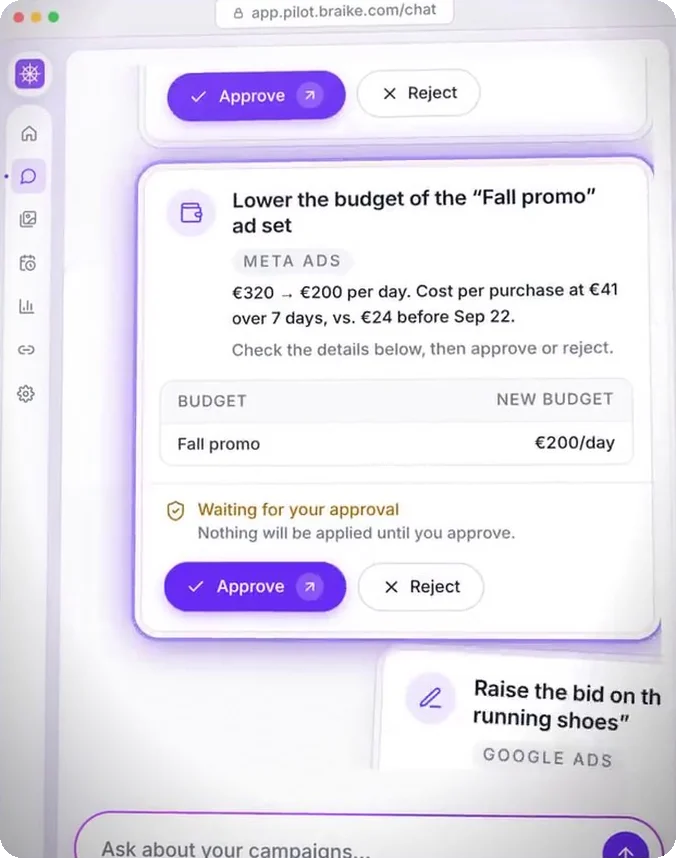
Change to approve
Lower the daily budget of the “Autumn promo” ad set from €320 to €200.
Platform: Meta Ads
ApproveRejectView in Pilot
Only visible to you
Only an editor, admin or owner of the workspace can decide on this change.
- The card, in the conversationWhat Pilot suggests, and on which platform.
- Approve or reject on the spotOr “View in Pilot” for a closer look.
- Editors onlyOnly an editor, admin or owner of the workspace can decide. If someone else clicks, Pilot tells them, in a message only they can see.
And in Google Chat, the same moves.
Add the Pilot app from Google Chat: message Pilot privately, or mention @Pilot in a team space.
ChatSearch in chatDirect messages
Théo Laurent
Inès Moreau
Spaces
Acquisition
Apps
Pilot
You8:52 AM
PilotApp8:52 AM
To date, €15,380 spent out of the €24,000 planned. Meta is ahead of plan.
Spend to date by platform
- Meta Ads€8,240
- Google Ads€5,060
- TikTok Ads€2,080
Open the dashboardContinue in Pilot
Théo Laurent10:05 AM
PilotApp10:05 AM
- In a private messageLike a colleague: it answers with your Pilot workspace's data.
- In a space, with @PilotIt only reads the messages addressed to it.
- The same cardsAnswers in numbers, charts, and the “Change to approve” card.
Your reports in your channels.
An automation already posts its report in a Slack, Google Chat, Teams or Discord channel. With Pilot in your team chat, you dig into it in the thread.
lumio-reports
5PilotAPPMon 8:00 AM
Monday report · “Lumio Sneakers”
- Spend: €5,480 (+5%)
- Purchases: 181 (−3%)
- Cost per purchase: €30.28 (+9%)
Open the report
To dig deeper, reply in this thread and mention @pilot: it picks up from this report.
2 replies
Thread · #lumio-reports
Camille MartinMon 8:31 AM
PilotAPPMon 8:31 AM
- The report, on scheduleThe report text and its link, posted by the automation.
- “Open the report”The full report, in Pilot.
- Dig in the threadReply and mention @Pilot: it picks up from this report.
Add Pilot in two minutes.
From Pilot to Slack, in three screens. For Google Chat, you add Pilot from Google Chat itself.
Settings › Workspace › Messaging
Fictional dataMessaging
Talk to Pilot from Slack or Google Chat. Each person links their account once and keeps their permissions.

Slack
Add to SlackGoogle Chat
To use Pilot in Google Chat, add the Pilot app from Google Chat (Apps), then write to it: it will send you a link to link your account and open your workspaces.
PilotAPP
PilotAPP9:02 AM
Link your Pilot account
Hello. To answer with the data of your workspaces, Pilot needs to link your Slack account to your Pilot account. It takes twenty seconds.
Link my Pilot account
acquisition
PilotAPP9:05 AM
- The button, in PilotMessaging tab in the settings: an owner or admin clicks “Add to Slack”, then confirms Slack's authorization screen.
- The link, in SlackEveryone gets their “Link my Pilot account” message: one click, a Pilot sign-in, and you're linked.
- The confirmation, in the channelWhen an admin links a channel, Pilot announces it to the whole channel: you mention it to talk to it.
For your admin: what Pilot reads, and what it keeps.
What you need to decide on the installation, before you click.
For your admin
- Only reads the messages addressed to it
- Keeps neither the text of Slack messages nor channel names
- Refuses channels shared with another company, and guests
- Erases its access as soon as it is uninstalled
- Trains no model with data received from Slack or Google Chat
- A question: contact@braike.com
Pilot uses language models and can make mistakes. Check important figures before acting.
Help and contact- What Pilot readsOnly the messages addressed to it, and your clicks on its buttons.
- What it keepsIn Slack, neither the text of your messages nor channel names: its own answers, and what it needs to find the conversation again. In Google Chat, the conversation, as in the app, visible to you only.
- A linked channel is sharedAll its members see Pilot's answers; channels shared with another company are refused, as are guests.
- UninstallingWhen the app is removed from Slack, its access is erased right away, and linked accounts, channels and threads within 14 business days.
Before you add Pilot
Send Pilot a direct message. It sends you a personal link, valid for 10 minutes and single use: log in to Pilot and confirm. If the address of your Slack or Google account differs from your Pilot account, a 6-digit code arrives in your chat app, to enter on the page. The link is reconfirmed every 90 days.
From Google Chat, add the Pilot app (Apps), then write to it: it sends you a link to link your account. An owner or admin of the Pilot workspace then opens that workspace to your Google Workspace domain, in Settings, Messaging.
With the /pilot espace command, choose the workspace Pilot works on in direct messages. Only the workspaces open to your Slack, or to your Google Workspace domain, are listed.
An owner or admin of the Pilot workspace runs /pilot rattacher in the channel and picks the language of Pilot's messages, French or English. You then mention @pilot to talk to it. Every member of the channel sees its answers about that workspace.
In Pilot: Settings, “My linked accounts”, then “Unlink”.
Remove the app from your Slack: its access is erased right away, and the related identities, channels and threads are deleted within 14 business days. Pilot conversations started in Slack stay in your Pilot workspace until you delete them.
The feature is open. A question asked in Slack or Google Chat counts as a question in the app: 30 a day and 250 in total, on a counter shared by the app and the chat apps, and by the workspace members. Approval cards are limited to 20 a day, and automation reports are not posted to a channel.
Pilot only receives the messages addressed to it. You can't send it a file from a chat app, and in a Slack channel it doesn't reread the thread. Channels shared with another company are refused. It answers in French or English, first in the language of the question.
Yes. Pilot uses language models and can make mistakes: check important figures before acting. Every change to an ad account goes through a card that an editor approves. When changes are simulated, the card says so: nothing is sent to the platform.
Ask the question where you already are.
Start the 7-day free trial, no credit card required.
The conversations on this page are examples: “Lumio Sneakers” is a fictitious brand and its figures are fictional. Slack and Google Chat are trademarks of their respective owners.
Pilot's other features
Each of Pilot's many features comes with its own video, demo and detailed explanation.