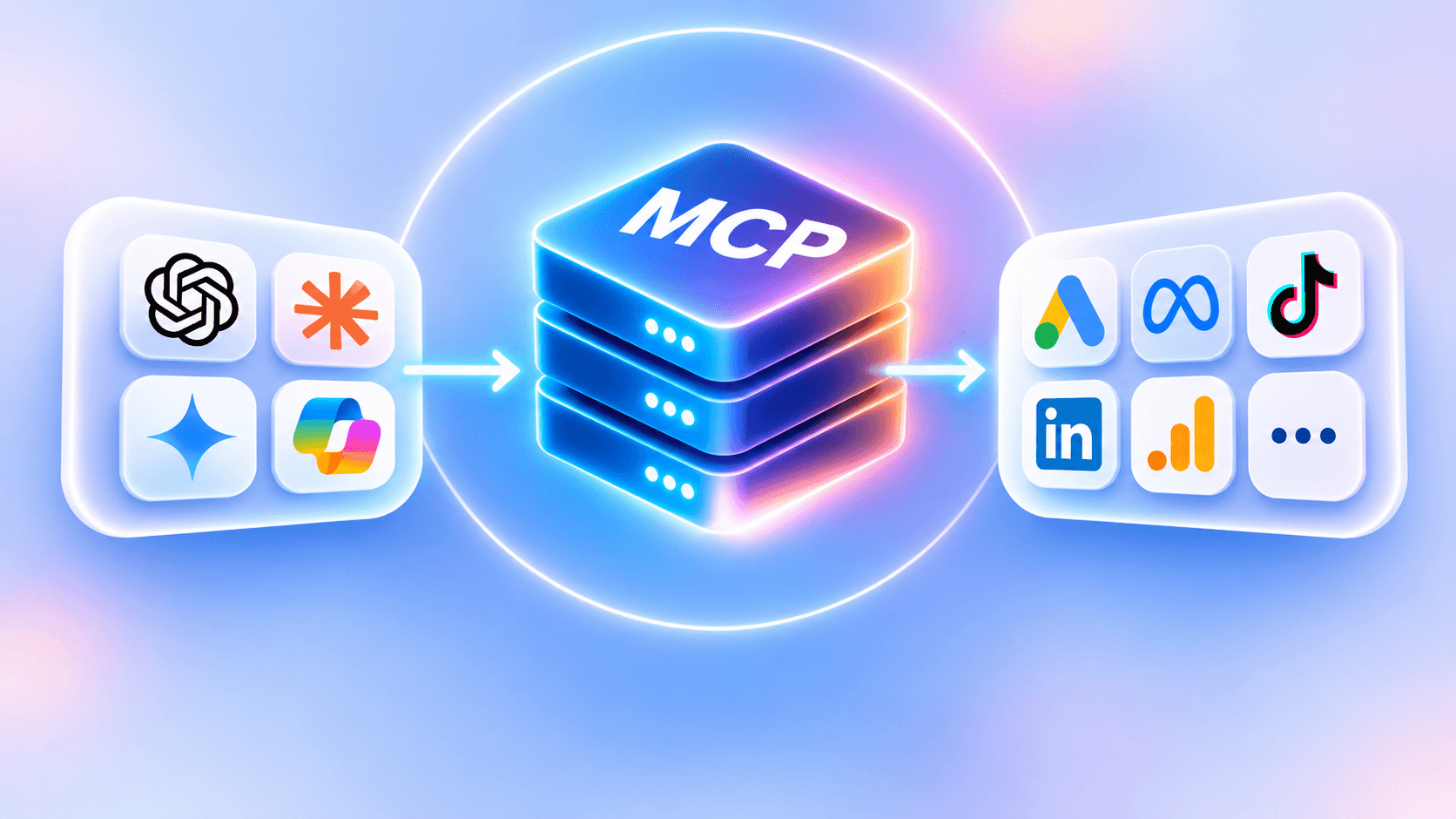
Connected to an ad account through MCP, an AI assistant such as Claude or ChatGPT can read your numbers and settings, and sometimes create, edit, pause or delete campaigns. The assistant does not decide where that line is drawn: the tools the MCP server gives it do.
The same Claude can therefore only read one account and have its hand on the budget of another. Before granting access, it is worth knowing which case you are in.
Read access: what the assistant does without touching anything
Read-only access already covers most of the analysis work. The assistant can:
- list the campaigns that spent without converting over a period;
- compare two weeks and say what moved (spend, CPA, conversion rate);
- read the search terms report and spot the ones that cost without returning;
- review settings: bid strategy, location targeting, ad schedule.
The worst that can happen with read access is a bad analysis. It can be costly if you act on it without checking, but nothing goes to the ad platform without you. That is why read access is the right starting point, even for a team that plans to move to write access later.
One limit to know: a read-only assistant only reads what the server exposes. If it has no conversions, it cannot talk about profitability, and it should say so.
Write access: what changes
With write tools, the sentence "add 'free' as a negative keyword on the Search Brand campaign" becomes a real change to the account. It is convenient: no need to open the Google Ads interface for a two-second fix.
The problem is not the tool, it is the gap between what you say and what the assistant understands. Three situations come up again and again:
- Ambiguity. "Pause the Search campaign" when the account has three campaigns whose names start with "Search". A good assistant asks which one; a hurried one picks.
- Context the assistant does not have. Lowering the budget of a campaign in its learning phase sends it back into that phase. The assistant only knows this if the server tells it.
- Content posing as an instruction. A campaign name or ad text can contain a sentence the model will take as an order. With read access, that is only a skewed analysis. With write access, it is a change nobody asked for.
Who draws the line
The MCP specification lets the server describe its tools, including with hints such as "this tool only reads" or "this tool deletes". It also states that the assistant must treat these hints as untrusted unless the server is trusted, and recommends that a person should always be able to deny a tool call.
In practice, each assistant applies this recommendation its own way. OpenAI's documentation says ChatGPT supports both read and write tools from an MCP server and asks for confirmation before a write action by default. That confirmation helps, but it relies on your attention when it appears, on the twentieth question of the day as on the first.
Servers vary a lot too. The official Google Ads server, according to its documentation, reads the account, creates assets and manages labels, but does not create, edit or pause campaigns, ad groups, budgets or bids; it can also be set to read-only. Other servers expose almost everything the platform allows.
One rule holds in every case: an instruction written in the conversation is not a safeguard. "Never touch budgets" prevents nothing if the budget-editing tool exists. The only reliable safeguard is a missing tool, or a limit enforced by the server.
The safeguards to require from a server with write access
If you move to write access, check these five points in the server's documentation:
- One object at a time. A change targets one campaign, ad group or keyword, never a whole list in a single call.
- A scope limited to the chosen accounts. Agency access often sees dozens of client accounts; the assistant should only reach the ones you authorized.
- A check before and after. The server reads the object on the platform before and after the change, and shows both states.
- A log of calls. Which tool, on which account, at what time, with what result. Without a log, an unexpected change stays unexplained.
- Access you can revoke in one click. And that ends when someone leaves the team.
A three-step method
- A few weeks read-only. Ask the questions of your routine and compare the answers with what you see in the interfaces. If the analysis is wrong with read access, it will be wrong with write access, with consequences.
- Write access on low-risk objects. Negative keywords, labels, pausing an ad: changes that are easy to undo.
- Budgets and bids last. They commit the money and can restart the learning phase.
With Pilot MCP, the plan decides
Pilot MCP connects the accounts of a Pilot workspace to ChatGPT, Claude, Cursor or another MCP-compatible assistant. There is no access level to choose: the plan draws the line.
- Free plan: one ad account, read-only, with no credit card and no time limit. The assistant has no editing tool: even misled by an instruction hidden in content it reads, it finds nothing to change a campaign with.
- €29 excl. VAT per person per month: every ad account in the workspace, and the assistant acts. It creates, edits, pauses and deletes, one object at a time, only on the accounts attached to the workspace. Pilot reads the object before and after each change and logs every call. What you ask for applies directly on the platform.
The Pilot MCP security page details these safeguards. If you want no change to go out without your click, look at Pilot Ads by Braike, the full application: every change it proposes waits for your click on "Approve".
Frequently asked questions
Can a read-only assistant still make a costly mistake? Yes, indirectly: a wrong analysis you act on. But it changes nothing itself.
Do I need admin rights on the ad platform to connect an MCP server? You need at least the rights matching what the server will do. For read-only, read access on the platform is enough and limits possible damage.
Is ChatGPT's confirmation enough as a safeguard? It helps, but it depends on your attention every time. Limits enforced by the server (one object at a time, scope, log) hold even when attention drops.
To start read-only on your own account, Pilot MCP is free on one ad account, with no credit card.
Sources
- Specification: ToolsModel Context Protocol · July 28, 2026
- Add custom MCP server (developer mode)OpenAI · November 19, 2026
- Google Ads MCP server (developer documentation)Google · November 19, 2026
- googleads/google-ads-mcp (GitHub)Google · November 2, 2026
- La sécurité de Pilot MCPPilot Ads by Braike · November 18, 2026
Facts checked on November 19, 2026.
Written by
Robin Basset
COO at Braike