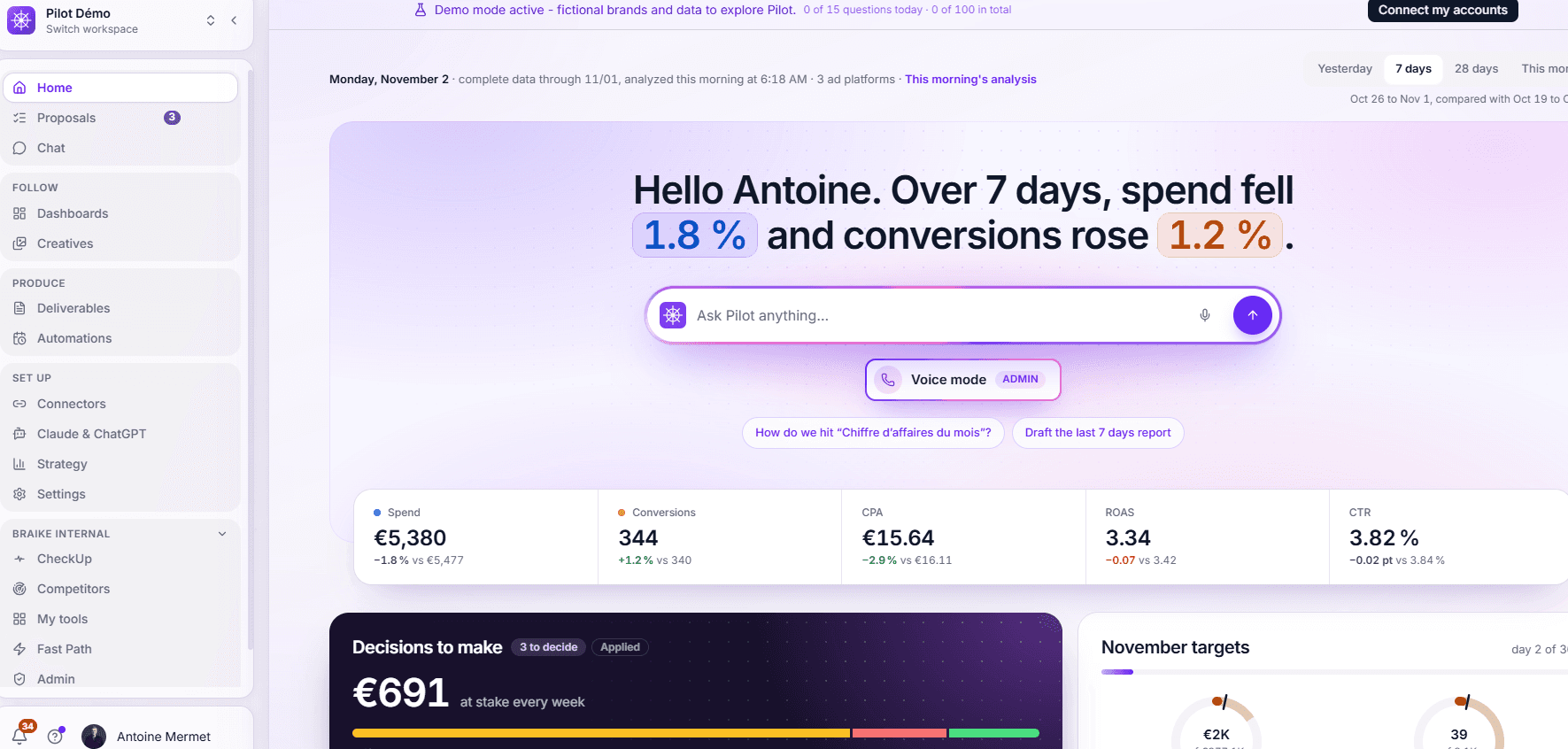
Managing advertising campaigns across multiple platforms means working with tools that don't talk to each other.
Google Ads, Meta, TikTok, Microsoft Ads: each platform has its own interface, attribution model, and definition of a conversion. The numbers don't add up. Reporting eats up the beginning of every week. And nobody has a simple answer to the most basic question: Where did my money go, and on which platform?
Pilot is an AI advertising manager built to solve this problem. It connects more than 20 platforms, including ad networks, analytics tools, and e-commerce systems. Ask a question about your campaigns, and Pilot responds with an analysis, a client-ready deliverable, or a proposed action for approval — all within the same conversation.
Here's what Pilot can do, step by step.
One Question, Two Response Speeds
Pilot automatically chooses how to respond based on what you ask.
A simple data question ("How much have I spent on each platform over the last 7 days?") gets a quick answer in around 5 seconds. Pilot reads the data in read-only mode and displays the numbers, with an option to dig deeper if needed.
A more complex question ("Compare the sales reported by the ad platforms with GA4 for this client over the last 30 days") is handled by the AI agent, which runs on a dedicated machine for that conversation.
It accesses all available Pilot data, cross-references sources, timestamps every figure, and delivers its analysis in 2 to 5 minutes. A complete document takes 10 to 20 minutes.
While the agent works, you can see exactly what's happening: a short explanation of the task, a plan ("What I'm going to establish") when more than two actions are involved, and a step-by-step progress log with a timer.
Once the work is complete, a card titled "What Pilot Read in Your Data" shows which advertising platforms were accessed, when the data was retrieved, and which period was analyzed. If a figure is recalculated later, the previous value appears crossed out.
Pilot never gives you a number without showing where it came from.
Client Reports, Right in the Same Conversation
The analysis is done. Now the client needs a report.
With Pilot, there's no need to switch tools. Just ask in the same chat: "Prepare the monthly report for this client."
The agent generates a complete, client-branded report with the company's logo, colors, an executive summary with key figures, commentary on every chart, and actionable recommendations.
The report can be exported as a PDF.
And here's a useful detail: the link you shared with your client last week always points to the latest version. Regenerating the report doesn't break existing shared links.
For internal use, Pilot can also create interactive dashboards with KPIs, charts, cross-filters, sortable tables, and CSV or Excel exports.
Dashboards can be shared through read-only links, without requiring recipients to have a Pilot account.
Creative Analysis, Without Another Tool
The Creative page brings together every active ad creative across Meta, Google Ads, and TikTok, along with its spend and performance over the last 7, 14, or 30 days.
Each creative receives a performance rating based on fixed rules, not AI-generated judgments:
Star
Scale Up
Performing OK
Watch
Pause
Too Early to Tell
Creative fatigue is measured by comparing the two halves of the selected period.
If there isn't enough data — fewer than 7 days or fewer than 1,000 impressions in either half — Pilot returns a "Too Early to Tell" verdict.
Pilot won't draw conclusions from insufficient data. That's a level of caution not every tool is willing to apply.
The result? Before a client meeting or a new creative launch, you can quickly identify which ads are losing momentum, which formats are performing best, and where to focus your budget.
Campaign Optimizations: Humans Make the Final Call
Pilot can modify advertising campaigns. But it never acts on its own.
Every proposed change — excluding search terms that spend without converting, adjusting a budget, pausing a campaign, or changing a bid — goes through an approval card displayed directly in the chat.
The card describes the proposed change in one clear, quantified sentence:
"Campaign X budget: €300 → €360/day."
Multiple changes can be grouped into a single approval card, with up to 100 selectable items.
An authorized user (Editor role or higher) can approve selected changes or reject them.
Every decision is logged, including who made it, when, what was decided, and the outcome.
Pilot offers extensive campaign management capabilities for Google Ads, Meta, and TikTok.
For Microsoft Ads, Amazon Ads, DV360, Pinterest, Snapchat, and OpenAI Ads, it can prepare proposed changes for approval on a case-by-case basis.
The chat opens in read-only mode by default.
No changes are executed in Read Mode. No changes are executed without an approval card.
Account Audits, With One Simple Question
"Audit my account." In just a few minutes, Pilot produces a read-only account audit, graded from A to F, with quick wins ranked by priority.
It identifies issues such as:
Search terms consuming budget without generating conversions.
Campaigns limited by budget.
Ad creatives with declining click-through rates.
Discrepancies between conversions reported by ad platforms and those confirmed by GA4.
Accounts running ahead of their monthly budget.
Every finding links back to the chat with a pre-filled question, or to an approval card when an action is recommended.
Automations for Repetitive Tasks
Everything Pilot does can also be scheduled.
Your Monday report can be sent automatically every week at 9 AM via email or Slack.
A CPA alert can trigger when performance moves beyond a defined threshold.
Your team meeting brief can arrive before the meeting starts.
A summary of exhausted budgets can be delivered every Friday.
Eight ready-to-use automation templates are available:
Daily spend report
Budget monitoring
Monday's top-performing campaigns
CPA increase alert
Team meeting brief
Competitor monitoring
Exhausted budget alerts
Monthly client report
You can also create your own automation by simply describing it in one sentence.
When an automation is linked to a deliverable, Pilot updates that deliverable in place. The link stays the same, while the content refreshes every week.
Automations always run in read-only mode.
They analyze, alert, and deliver. Humans make the decisions.
Competitor Monitoring, No Extra Connector Required
Without connecting any additional external tools, Pilot's AI agent can search the Meta Ad Library and Google Ads Transparency Center to compare competitors' creatives and messaging.
It cites its sources, timestamps the information, and never invents market benchmarks.
More competitor intelligence features are coming soon to Pilot.
What Makes Pilot Different: Three Key Facts
1. One Tool, From Analysis to Action
Reporting tools typically stop at data visualization.
AI advertising agents can manage campaigns but rarely produce client-ready deliverables.
Pilot does both, within the same conversation.
It connects the entire workflow: analysis, reporting, approved campaign changes, and automation.
No switching between tools. No disconnected workflows.
2. Pricing That Doesn't Depend on Ad Spend
Pilot's pricing is based on the number of connected advertising accounts, never on a percentage of the budgets managed.
Pilot reads data from all connected advertising platforms through a neutral data warehouse.
It compares results over the same period and puts each platform's reported performance alongside what GA4 actually confirms.
Each advertising platform's own AI is designed to optimize performance within that platform.
Pilot looks at all of them.
3. Human Control, Built Into the Product
The chat opens in Read Mode.
Every proposed change requires an approval card.
Only authorized Editors can approve changes.
Every decision is recorded.
This isn't a product limitation. It's a deliberate design choice.
Pilot doesn't promise to automate every optimization decision. It prepares the changes and lets people decide.
AI does the analysis and prepares the action. You stay in control.
Get Started With Pilot
Pilot starts at €225 per month, excluding VAT, with one advertising account included.
You can sign up directly, with no credit card required, and get a 7-day free trial.
Written by
Edris Paikan
CTO at Braike